
10 Best AI CRM Platforms: Expert Picks for 2026

 Paul Newham

Lots of CRMs claim they’re ‘AI-powered’ these days. But what does that really mean? Are all CRMs equally good at delivering AI? The promised AI functionality feels like a breath of fresh air compared to legacy platforms. But you still need to pick the right AI tools and the right platform for your business.
Drawing on my experience using CRMs, I tested the new AI features and put together this list of the best AI CRMs. Hopefully, it saves you time finding the right CRM for you.
The Real Impact of AI CRM Tools
You can see how sales, marketing, and customer service teams could get excited about AI. Where CRM platforms are must-have tools to manage sales and marketing, AI now increases your output and reduces workload. Here are the stats that show the impact of AI in CRM:
- 88% of sales leaders expect AI to improve their CRM processes in 2 years.
- Companies that adopt sales AI see revenues increase by 30%. With a similar 30% increase in conversions from marketing AI.
- Sales teams using AI report average sales growth of 83% compared to 66% that don’t use AI.
- Personalizing customer experiences using AI enhances customer satisfaction by 15 to 20%. Increases revenue by 5 to 8%. And reduces the cost to serve by 20 to 30%.
- Predictive AI is 90% accurate in predicting customer churn.
- Adoption of AI in customer service reduces operational costs by 20%.
Those numbers are impressive. Remember that nothing is more important to your business than your customers, employees, and workflows. Some even call it agentic marketing now, with AI agents being the extra teammates.
10 Best AI CRM Overview
Businesses are switching to AI CRM platforms. But there are multiple types of CRM. Here is the quick overview of the best AI CRMs and their strong points.
| Best for | Free plan/trial | Starting price | |
| HubSpot | User-friendly AI across CRM workflows | Yes | $9/user |
| Pipedrive | Simple, efficient AI sales automation | Yes, 14 days | $14/user |
| EngageBay | Low-cost, all-in-one CRM with AI | Yes | $13.79/user |
| Brevo | Marketing-led CRM for small businesses | Yes | $9/user |
| Monday CRM | AI embedded in visual workflows | Yes | $17/user |
| Zoho CRM | AI sales automation on a budget | Yes | $14/user |
| Zendesk Sell | Integrated CRM for B2B sales teams | Yes, 14 days | $19/user |
| Salesforce | Enterprise teams | Yes, 30 days | $25/user |
| Freshsales | Low-cost AI CRM for small sales teams | Yes | $9/user |
| Vtiger One | Customizable AI for an all-in-one CRM | Yes | $12/user |
How We Selected the Best AI CRM Tools
I know from years of reviewing CRM platforms that tools like to pack out their feature lists. And with all the hype around AI, the temptation to stick an AI label on everything is irresistible for CRM tools. When picking my top 10 AI CRM platforms, I tried to cut through the noise (which isn’t easy). These are the criteria you can use.
- AI feature integration (including MCP readiness). AI-powered tools deliver full value when they’re integrated, and not just a bolt-on. I looked for purpose-built tools that simplify business operations. I’ve also reviewed if platforms support MCP. With MCP, the CRM connects to third-party AI tools. So ChatGPT, Claude, Gemini, and other AI tools can make changes and get data from your CRM.
- Ease of getting started. AI is advanced technology. That’s the attraction. But it’s no good for your business if the tools are too complicated to use. So CRMs should balance capabilities with user-friendly interfaces. And ideally have a simple, out-of-the-box setup.
- Analytics and measurable ROI. A CRM isn’t just for window dressing. In CRM, that means tangibles like increasing conversion and win-rates, improved customer satisfaction and retention. And, ultimately, increasing revenue. So I looked at the analytics and where the AI tools contribute to revenue.
- AI in automation features. AI is helping to take analytics to new levels. Particularly, analytics with predictions are impressive. At its most powerful, you can use AI in your automations. Where it makes decisions and acts. So I’ve picked CRMs with marketing automation where AI plays a big part in workflows.
- Customer support and documentation. By its very nature, CRM comes with some complexity. Especially with more advanced tools. It’s important that platforms provide the right level of support. Including all necessary technical documentation. MCP servers, for example, usually require some level of technical configuration.
- Pricing. The pricing is always a point. What is the most attractive will depend on your business size, budget, and which CRM AI tools you will end up using. We see a mixed bag, AI features included in all plans versus premium functions in higher tiers or using credits. Some even like different pricing based on outcomes versus seats. You see I’ve judged systems on value-for-money, not just label cost.
How to Choose the Right AI CRM for Your Business
There’s no single answer to what the best AI CRM is. Platforms vary widely in features, target audience, and price. Choosing the right AI CRM ultimately comes down to knowing your business. And matching that to the platform that fits best across all criteria. Here are five steps to take when making that decision.
- Understand your goal. There’s a saying in tech buying. Start with the business problem, not the software. Which means, if you haven’t got a problem to solve. Or a goal to aim at. Why are you looking at new tech? You don’t need AI CRM for its own sake. You need it to make a difference to your business. Start by working out what that difference is.
- Understand how AI can help. Just because you have a goal in mind doesn’t mean AI is the right answer. No, really. Even in this day and age, there are other, sometimes better, options. Better process design. Simple rule-based automation. Improving collaboration between people. So it’s important to know what AI is good at. Analytics. Efficient, accurate, reliable decision-making. Anything to do with using data at speed and scale. In a CRM context, that translates into things like predicting deal outcomes. Prioritizing leads or identifying churn risk and acting on it. And improving the accuracy of sales forecasts.
- Work out your budget. Working to a realistic budget rationalizes your choice of AI tools. Many CRMs stack more advanced AI tools in more expensive tiers. You might want AI to orchestrate and optimize complete workflows. But your budget will tell you that’s something to work towards. Different platforms make different capabilities available at different price points, though. So your budget will inform your research. And it will block you from paying for features you don’t need.
- Assess how AI-ready your team is. It’s important to match any software you adopt to the technical skills of your team. With AI CRM, you need to consider any technical configuration or integration requirements. If you don’t have developer skills in-house, you need simpler, out-of-the-box tools. And consider how much experience your team has with AI prompting. Most AI tools work with a natural language interface. But giving instructions for complex analysis is different from filling out an email.
- Assess how AI-ready your tech stack is. AI works best when it has lots of data to work with. AI CRM software works best when it’s fed plenty of data from different sources. This has implications for how you integrate a platform into your existing stack. Some CRMs come with their own data platform. With others, you might need extra tools. This all impacts implementation times and cost.
10 Best AI CRM Platforms
1. HubSpot: Best for User-friendly AI across CRM workflows
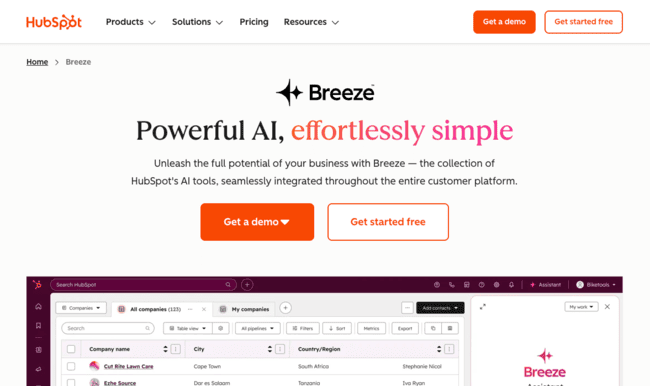
HubSpot is one of the most popular CRMs around, and for good reason. It’s an all-in-one customer management platform covering sales, marketing, and customer service. Plus dedicated tools for commerce, content management, and data. It breaks all of these out into separate Hubs. But its plan and pricing structure are highly flexible. So businesses of all types and sizes can pick exactly what they need.
HubSpot positions itself as a smart CRM for growing sales and service teams. It has AI tools across the platform, under the collective name Breeze AI. Breeze covers dozens of AI-powered intelligence and automation features. All organized into context-specific tools for each Hub. Plus a growing number of Breeze Agents trained to handle specific tasks independently.
HubSpot AI Feature Overview
- Breeze Assistant on-page chatbot answers questions and triggers actions on demand.
- Generative AI tools for email, blogs, webpages, and other marketing content.
- Predictive lead scoring, conversion analytics, and forecasting for sales.
- Conversation intelligence and sentiment analysis for customer service.
- Agents for customer support, prospecting, and data analysis. With more in beta production.
Breeze AI helps teams predict customer behavior. Analyze customer sentiment. And drive timely and relevant communication. What really stands out is Breeze’s intuitive interface, even for the most advanced tools. The Breeze Assistant and Agents use a simple chatbot format. You can control even the most sophisticated actions with prompts.
HubSpot smart CRM supports third-party AI integration with two MCP servers. Both require technical configuration. With one designed specifically for developer use.
HubSpot AI Pros
- Huge choice of AI tools covering the full HubSpot platform
- User-friendly AI assistants give easy access to many features
- Growing number of AI agents to automate specific workflows
Great for using CRM data to connect all customer processes
HubSpot AI Cons
- HubSpot’s credit-based system for using AI is complicated. It puts hard limits on AI usage within different tiers. And it can get expensive, quickly, if you want to ramp up AI use.
HubSpot prices its various ‘Hubs’ and platform bundles separately. And it measures AI use using a credit system. Prices for its all-in-one Customer Platform start at $9/month if you pay annually. This includes 500 credits. It costs 10 credits for every Breeze AI action. And every Data and Prospecting Agent outputs. And 100 credits for every AI-managed conversation. Credit top-ups start at $45 per month for an extra 5,000 credits.
HubSpot has a free plan with basic CRM tools. But it doesn’t include any AI credits. Check out our detailed guide to HubSpot pricing to get the full picture.
Get started with HubSpot for free or read our review
2. Pipedrive: Best for Simple, Efficient AI Sales Automation

Pipedrive is a sales-focused CRM known for being easy to use and affordable. But it packs in all the core tools a sales team could need. Visual pipeline builders. Automated deals management. Real-time analytics and activity tracking. Its features extend into lead generation and email marketing, too. It’s a great fit for SMB sales teams that want smarter pipeline management. But without enterprise-level complexity and prices.
Pipedrive uses AI in carefully targeted ways to support decision-making. And automate routine tasks.
Pipedrive AI Features Overview
- AI-generated reports.
- AI Sales Assistant with next-best-action recommendations.
- Predictive deal and lead scoring.
- AI email drafting and summarising.
- Third-party integration recommendations from Pipedrive’s marketplace.
Pipedrive separates its AI features by plan. On cheaper plans, you get custom AI reports. This means you can build any report you like from a simple text prompt. Or you can use Pipedrive’s pre-made prompts. You also get Pipedrive’s AI marketplace search and app recommendations. This helps you get the best picks from Pipedrive’s 400+ integrations.
You don’t unlock the best of Pipedrive’s AI until the Premium plan. Here, the AI Sales Assistant continuously monitors pipelines. And provides action reminders and suggestions in real time. This can be flagging at-risk deals or follow-up reminders. Giving you instant performance insights or advising on metrics to track. Or making next-best-action recommendations with clear data rationale. You can ask the assistant to build or alter sales pipelines, too.
Pipedrive AI Pros
- User-friendly AI tools with a chat interface.
- Strong on AI analytics, including real-time and on-demand reporting.
- Excellent for sales pipeline management, with data-led alerts and recommendations.
- Generative tools for writing emails and creating pipelines.
Pipedrive AI Cons
- Higher plans with Pipedrive’s best AI tools start to get expensive.
Pipedrive’s pricing starts at $14 a month billed annually. This includes AI custom reporting and integration recommendations. For the Sales Assistant and other advanced tools, the Professional plan starts at $79 a month. Pipedrive doesn’t have a free plan, but does offer a 14-day free trial.
3. EngageBay: Best Low-Cost AI CRM

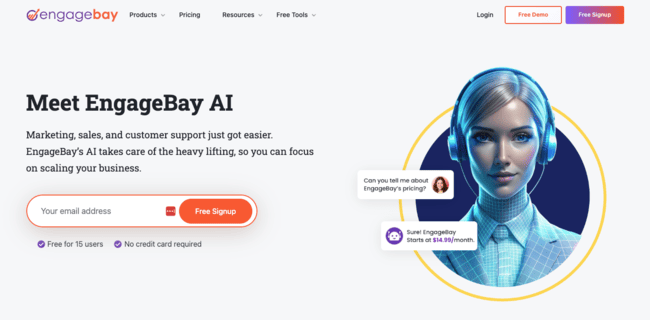
EngageBay is a low-cost CRM platform popular with SMBs. It covers marketing, sales, and customer support. With a choice of separate products for each. Or an all-in-one bundle. EngageBay is simpler and easier to get started with than similar modular CRMs. It sticks to essential features and prioritizes ease of use.
That’s the story with EngageBay’s AI features, too. It uses AI across the platform to support marketing, sales, and service. It’s not a place to find advanced workflow orchestration and predictive intelligence. What you get are AI tools that help ease workloads and improve performance.
EngageBay AI features overview
- AI-powered email generation, subject line optimization, and send-time prediction.
- Automated engagement insights and performance analysis.
- AI sales recommendations, win probability scoring, and lead prioritisation.
- Trainable AI chatbot.
- OpenAI Node low-code GPT connector.
What’s great about EngageBay’s AI is how it answers practical challenges directly. Want to get more from your email marketing? EngageBay will generate multiple versions of the same email for A/B testing. Make personalization suggestions based on a customer’s purchase history. Optimize send times and track engagement patterns. Not getting enough leads converting? The sales AI identifies the best prospects, calculates win probabilities, and makes follow-up recommendations.
A big USP for EngageBay’s AI is its OpenAI Node. This isn’t quite the same as an MCP connector. It only links to OpenAI’s GPT infrastructure, rather than AI tools in general. But it does let you use OpenAI’s immensely powerful LLMs within your CRM. And build contextual prompts using your own data to answer queries.
EngageBay AI Pros
- Affordable all-in-one CRM with user-friendly AI
- Strong AI support for email marketing optimization
- Practical sales intelligence and automation tools
- OpenAI integration for customized prompts
EngageBay AI Cons
- Automation tools aren’t available until higher tiers.
EngageBay prices for the all-in-one CRM start at around $12.74 per user per month if you pay for two years up front. Or $13.79 if you pay annually. Individual sales, marketing, and service products are slightly cheaper. Starter plans include basic AI writing tools and suggestion tools. But for advanced automation, you need the Growth plan starting at $55.24/user/month. There’s a free plan with core email, pipeline, contact management, and help desk features.
Sign up to EngageBay for free or read our full review
4. Brevo: Best Marketing-First CRM for Small Businesses


Brevo is a popular customer relationship platform for small businesses. It specializes in multichannel marketing campaigns and automation. And it’s popular for its user-friendly tools and affordable pricing. Beyond marketing, it also offers a sales CRM. Transactional messaging. And, for larger businesses, an integrated data platform. So you can manage the full customer lifecycle from a single platform.
Aura is Brevo’s platform-wide AI assistant. It’s both a GPT-style chat tool that answers questions and performs tasks. And a set of more targeted AI agents for marketing, sales, conversations, and data. Brevo embeds these agents within various workflows to perform specific tasks. Such as generating email or message content. Automating customer conversations and capturing lead data. Enriching contact data and creating segments. Optimizing email send times and creating deals.
Brevo AI feature overview:
- On-page AI assistant and embedded agents for marketing, sales, conversations, and data
- Generative AI for email and SMS writing
- Automated segmentation and campaign optimization
- AI sales assistant for deal creation, contact enrichment, and messaging
- MCP server for connecting Brevo data to third-party AI tools
Brevo is great at making advanced tools accessible to smaller businesses. It pulls off the trick with AI, too. Its AI tools feel accessible and relevant to day-to-day needs. You don’t have to go looking for them or learn how they work. They sit naturally in the interface. And they lean towards action rather than analytics. Some AI CRMs are all about deep customer insight. Aura is about helping execute marketing and sales campaigns.
Another strength is that Brevo has an MCP server. This makes it easy to expand your AI capabilities with third-party apps.
Brevo AI Pros
- Low-cost entry point for AI-powered marketing and sales automation
- User-friendly AI chat interface and embedded agents
- Action-focused AI tools help drive efficiency and growth
- MCP server for connecting third-party AI tools
Brevo AI Cons
- There is a sharp jump in price before you get AI segmentation and data analytics
Pricing for the Starter plan starts at $9 per user per month billed annually. This includes AI writing tools. More AI features become available as you go up through the tiers. Brevo is well known for its excellent free plan. This includes campaign building and marketing automation tools with 300 emails a day. But it doesn’t include any AI features.
Get started with Brevo for free or read our full review
5. Monday.com: Best for AI Embedded in Visual Workflows

Monday.com is a workflow management platform. Teams use its Kanban-style visual boards to plan projects. Automate tasks. Track performance. And collaborate efficiently. It has hundreds of customizable boards organized into 5 products. One of these is Monday CRM. This includes dozens of industry-specific pipelines and customer engagement trackers.
AI tools are part of the fabric of every board. The AI Blocks engine lets you easily add AI functions to columns or whole boards with a simple prompt. Options include data analysis, organization, task allocation, and automation. In CRM boards, this translates into automating deal updates and progress. Prioritizing deals by criteria like value or risk. And allocating and managing follow-ups.
Monday CRM AI feature overview:
- On-demand summaries and insights for deals, accounts, and activity timelines.
- Custom pipeline automation. Use pre-built AI blocks for deal management, or prompt your own.
- Generative tools for analytics formulae and enrichment.
- Intelligent prioritization of tasks, deals, and workflow routing.
- Prompt-based board and app creation via Vibe AI (beta).
As an AI-driven CRM, Monday works best for teams already invested in visual workflows. It’s a natural way to embed AI into how you manage workflows. You also get a lot of control over how AI works for you. Vibe AI, a board and app generator, is in beta release. Monday plans to launch a similar AI agent builder soon. And it has a user-friendly MCP connector app. This lets you easily connect third-party AI platform without complex configuration.
Monday CRM AI Pros
- User-friendly AI tools are a core component of highly flexible CRM workflows.
- Builds custom automations and analytics from simple prompts.
- User-friendly MCP connector for easy AI expansion.
- Great for sector-specific CRM. And for connecting customer management to other business
Monday CRM AI Cons
- While flexibility is a strength, there is a learning curve as you figure out board building.
You need Monday.com’s Standard plan to start with AI tools. This starts at $17 per month per user when billed annually. There is a free plan, but it doesn’t include any AI tools. You can test out the AI features on a 14-day free trial.
6. Zoho CRM: Best for Advanced AI Sales Automation on a Budget

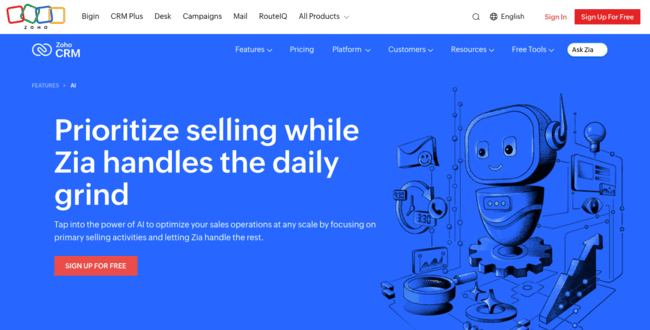
Zoho CRM is a powerful but affordable sales CRM. It’s a great pick for sales teams that don’t want to break the bank on enterprise-level sales software. It specializes in sales automation and has excellent data tools. That makes it a great fit for AI.
Zoho has steadily expanded its AI, Zia. It’s now one of the most extensive AI toolsets of any sales CRM in a similar price bracket. There are 14 different AI features in all, covering all Zoho CRM’s core processes and features. Namely, sales force automation (SFA). Lead management. Process management and customization. And analytics and BI. Generative AI tools create everything from email content and call scripts. To pipeline layouts and performance summaries. And you can build your own agents to focus on the tasks that matter most to you.
Zoho CRM AI feature overview:
- Real-time sales insights and recommended actions.
- AI driven lead scoring, churn prediction, and win-probability and revenue forecasting.
- Customer data enrichment and sentiment analysis.
- AI-generated workflows and automation suggestions.
- AI-powered reporting and BI.
Zia is like having an always-on sales analyst running in the background. Gathering data. Monitoring performance. Analyzing patterns. And highlighting opportunities or flagging concerns. And it doesn’t just run workflows on autopilot. It optimizes how they perform over time. Plus, with custom agents, you can choose exactly what you want to automate and what to keep control of. This is great for helping growing teams prioritize effort and improve efficiency.
Another attraction is Zoho’s vast business software ecosystem. It includes tools for marketing, ecommerce, customer service, finance, legal, HR, security, CRM, and project management. Other sales tools include sales journey visualization and optimization. And a loyalty program building tool. Zia helps draw data from all of these into Zoho CRM. So you get a sales workflow that reflects the rest of your business. And if you want to connect other AI tools, Zoho has a native MCP connector.
Zoho CRM AI Pros
- 14 AI features and tools embedded in all sales processes.
- Customizable agents let you deploy AI where you need it most.
- Advanced predictive analytics and forecasting capabilities.
- Generates and optimizes AI workflows for you.
Zoho CRM AI Cons
- Having so many AI tools available means there’s an inevitable learning curve.
Zoho CRM’s Standard tier starts at $14 per user per month if you pay annually. But for AI tools, you need the Enterprise plan starting at $40/month per user, billed annually. There is a free plan, but this only includes basic features and no AI.
7. Zendesk Sell: Best for B2B Sales Teams

Zendesk is a customer service CRM. It specializes in help desk and ticketing tools. It handles everything from customer contact centers to B2B client accounts. Sell is ZenDesk’s sales CRM. Lightweight and user-friendly, Sell focuses on sales essentials like pipelines and email-based sales engagement.
Sell is a great add-on for Zendesk’s customer service platform. This works really well for B2B and account-based sales teams. The alignment between sales and support suits long-term customer relationships.
Zendesk’s AI features reflect this. It’s light on content generation tools. But leans instead into analytics and automation. This is perfect for the kind of attention to detail you need to nurture relationships over time. Zendesk’s AI features take two main forms. AI agents that automate and optimize. And ‘copilot’ assistants that help team members as they work.
Zendesk Sell’s AI CRM Features
- Data capture from all customer touchpoints.
- Trainable copilots that provide contextual assistance for tasks.
- AI agent builder.
- Lead and deal scoring.
- Sales forecasting.
Zendesk’s AI is great for helping sales teams understand their customers better. Again, this is most obvious when Sell operates alongside the customer support suite. Zendesk’s AI-powered chatbots provide real-time customer service. But they also analyze interactions for patterns and sentiment. Sales teams can use these insights to prioritize and segment customers. Personalize responses. Or give sales reps cues and recommendations in real time.
Zendesk Sell AI Pros
- Enriches sales intelligence with customer service information
- Copilot provides a simple interface for AI tools
- Advanced AI-powered analytics includes lead scoring, future sales trends, and opportunity analysis
- Customizable AI agent builder
Zendesk Sell AI Cons
- Some of its most powerful AI tools, like Copilot and the AI agent builder, are paid-for add-ons.
Pricing starts at $19 per user per month if you pay annually. All plans include basic AI agents for email and messaging. Prices for more advanced and customizable agents are available by application only. For Copilot, you need to be on at least the Professional plan. This costs $115/user/month, plus a $50 per user add-on charge. There’s a 14-day free trial.
8. Salesforce: Best for Customizable AI at Enterprise Scale


Salesforce is a popular CRM platform and one of the biggest SaaS companies, full stop. It’s an all-in-one business platform for enterprises. Covering sales, marketing, customer service, commerce, and data. Clients include giant global brands like Amazon, Walmart, Coca-Cola, and Spotify. Although it does attract customers of many different sizes, too.
Salesforce was one of the first CRMs to add AI features. And particularly the intelligent use of customer data to improve engagement. It first introduced Einstein, its native AI system, a decade ago. Einstein is now part of every corner of the platform. It drives predictive analytics and proactive decision-making across sales and marketing. It generates content and automates responses. It powers the conversational interfaces and agents that support and collaborate with users.
Salesforce’s AI CRM Features
- The Unified Data Cloud serves as the foundation for AI across all products.
- Predictive AI and action recommendations at every stage of the customer journey.
- Generative tools for content, segments, and automation workflows.
- Agentforce 360 platform for building custom agents and AI-powered apps
Salesforce’s AI capabilities are hard to beat for scale and flexibility. You don’t just use marketing data for personalization. Or sales data for next best actions and forecasting. It uses all customer data to fuel predictive analytics, generative AI, and intelligent automation.
Another big plus is how specific Salesforce AI’s use cases get. With Agentforce, it now has 200+ pre-built, task-specific agents. Every agent is fully customizable. And, in the Agentforce 360 platform, you can build your own agents in a low-code environment. And if that’s not enough, Salesforce recently added a native MCP client.
Salesforce AI Pros
- Complete AI-powered CRM platform for enterprises
- Predictive analytics, generative AI tools, and AI automation
- Salesforce AI turns unified customer data into insights and actions
- 200+ customisable agents, plus you can build your own
Salesforce AI Cons
- Salesforce is a genuine AI heavyweight. But it’s not a plug-and-play AI CRM. Many of its tools require technical configuration and dev support.
Salesforce CRM has a huge list of pricing tiers. Its Starter Suite CRM for SMBs starts at $25 per user per month. But AI is not available at this price point. It’s used in the background instead to run basic analytics and workflow automation. Predictive AI tools aren’t available until the Enterprise plan. This costs $175/user/month. And Agentforce is a paid-for extra, costing $125/user/month.
9. Freshsales: Best Value AI CRM for Small Sales Teams

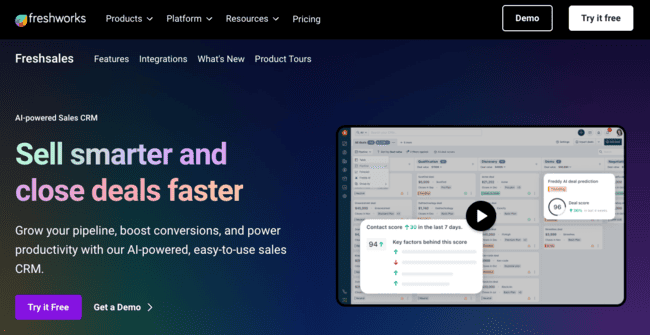
Freshsales is a user-friendly sales CRM for SMBs. You can use it as a standalone sales CRM to build and manage pipelines. Or, through the Freshworks suite, link it to marketing and customer service.
Freshsales’ Freddy AI focuses on insight over complex orchestration tools. AI lead scoring helps sales teams prioritize high-value prospects. Deal analytics accurately predict customer behavior and outcomes. And next best action recommendations aim to help you close more sales.
Freshsales’s AI CRM Features
- Contact scoring for prioritizing your best prospects based on known behavior.
- Deal insights and outcome predictions.
- Next best action suggestions.
- Sales forecasting.
- Chatbots for automated responses and first-touch engagement.
Freshsales doesn’t have AI agents building and managing workflows autonomously. But it’s very good for keeping everything visible across a team. And supporting collaboration and day-to-day execution with timely contextual insights. You can automate processes with standard rules-based workflows and add AI insights. For example, routing prospects to different deal stages based on lead scores. Or triggering follow-up tasks from next-best-action suggestions.
Freshsales AI Pros
- Simple and affordable.
- Behavior-based lead scoring to help prioritize activity.
- Conversion-focused analytics and recommendations.
- Shared insights support collaboration.
Freshsales AI Cons
- The lack of generative AI and AI orchestration tools will feel limiting to many teams.
Freshsales pricing starts at $9 per user per month when billed annually. But for most of the AI tools, you need the Pro plan. This starts at $39/user/month. There’s a free plan with basic CRM boards, email templates, live chat, and social media tools.
10. Vtiger One: Best for Customizable AI for an All-in-One CRM


Vtiger One is an AI-powered CRM system combining sales, marketing, and customer service. Unlike many other ‘full’ CRMs, it doesn’t separate these into separate products. Leaving you to decide what you do and don’t need. It’s a single platform with everything bundled in. Nice and simple if you want to cover all bases.
Vtiger One also covers all bases with its AI tools. A benefit of bundling all CRM features together is that it creates a rich customer data resource. Vtiger One uses this to power its Calculus AI engine. Calculus is a GPT-like interface that faces in two directions. As an internal assistant, it helps teams with predictive intelligence. Everything from lead scoring to deal outcome predictions to sales forecasts. And with email and messaging automation. It also runs Vtiger’s customer-facing chatbots.
VTiger One’s AI CRM Features
- Customizable predictive AI for lead scoring, forecasts, and recommendations.
- Agent builder for customizable AI assistants.
- Customer-facing chatbot with advanced training options.
- AI email generation and automation.
- Prompt builder.
The USP of Vtiger’s AI tools is how customizable they are. Most business software comes with fixed, pre-packaged AI features. You don’t get to configure your own without advanced development know-how. Vtiger is an exception. It’s got a series of no-code editors for customizing AI tools. You can train agents to suit your own business processes. And chatbots so they provide more targeted, on-brand replies. You can specify your own parameters for predictive analytics. And there’s even a prompt builder that helps you create the best instructions to get the best outcomes. This is ideal for growing businesses that want AI flexibility without hiring developers.
Vtiger One AI Pros
- Customizable AI without the need for coding expertise.
- Integrated data across sales, marketing and service.
- User-friendly chatbot interfaces for internal teams and customers.
- Simple, predictable pricing structure.
Vtiger One AI Cons
- Vtiger One’s sales and marketing automation is basic.
Vtiger One paid plans start at $12 per user per month. This includes all AI tools except the chatbot trainer and predictive AI editor. Unlocking these costs $50/user/month. There is a free plan, but it doesn’t include AI tools.
Which is the Best CRM with AI?
The best AI CRM software for your business is very much your choice. It depends on your size, your budget, and how you use CRM. What I’ve tried to do is guide you with some of the best options around.
But what I do have is my opinion on the best choices in a few different categories. For small businesses, for example, it’s important to look at the detail of the pricing. Many AI-driven CRM solutions offer basic AI, like content generation, at low prices. But then costs rise quickly as they unlock more advanced tools. For the best balance of AI features versus low cost, I think Brevo is hard to beat. Monday.com includes great AI tools on its lowest tiers, too. But it’s a bit of a harder platform to get started with. HubSpot has Breeze AI tools included in the cheapest plans. Its credit system limits usage. But it’s a good introduction to some great AI features.
For sales teams, the choice really comes down to the size of your business. For larger operations right up to enterprise scale, Salesforce is the obvious choice. For smaller sales teams, Pipedrive spreads its AI capabilities across plans well. Pipeline intelligence and recommendations are very affordable. Larger teams can scale up to more advanced sales automation. Zoho CRM is another good pick for quality AI sales automation at reasonable prices.
For marketing teams, Brevo is a standout pick for smaller B2C businesses. Especially for digital businesses, promotional campaigns serve as a sales channel. Brevo’s main strength is building and automating multichannel campaigns. AI helps with content creation, personalization, and optimizing sending. For larger marketing teams, HubSpot’s marketing platform and advanced AI stand out.