
15+ Best LMS Software Reviewed: Our Honest Picks for 2026

 Paul Newham

The digital learning market in 2026 is worth over $300bn. Lots of businesses use LMS software. Not just typical educators and trainers, but also companies for in-house training and creators to monetize their expertise by selling courses and webinars.
They all have their own LMS. As a result, LMSs have evolved to suit different audiences. There are now more learning management systems (LMS) available than ever. With so many platforms to choose from, which one’s right for you?
Just for this article, I’ve spent over 25 hours researching and vetting these platforms, so you don’t have to. From that, we have reviewed the 15 best LMS software platforms currently available.
In this article, I’ll help you pick the best LMS for you. Maybe after all this, I should turn it into a course…
Best LMS Overview
Best LMS Platforms
The best LMS platforms to create and host your online courses.
- Learnworlds – Best for professional online courses (free trial – $29/month)
- Thinkific – Best all-around LMS (free trial or $74/month)
- Teachable – Best platform for beginners (free trial or $29/month)
- FreshLearn – Best affordable LMS (free or $49/month)
Best All-in-One LMSs
All-in-one LMS platforms for building your course, website, and marketing and selling courses.
- Learnworlds – Best for engaging, professional online courses (free trial or $29/month)
- Thinkific – Best overall LMS (free trial or $74/month)
- Kajabi – A complete high-end LMS with community features ($143/month)
A creator looking to monetize their expertise has different needs than a college. As does a corporate LMS for internal staff training. LMSs have evolved to suit different audiences. In this review, we categorize LMS software into these 4 types:
- Internal Corporate LMS: Create and run internal training systems for large organizations. Employee onboarding, compliance, upskilling, and performance pathways.
- External Corporate LMS. For B2B training providers and firms that deliver product training to customers and partners. Blend ecommerce tools, white label branding, and scalable user management.
- Academic LMS. Platforms for schools, colleges, and universities with course scheduling, assessment, and grading tools.
- Learning Experience Platform (LXP). LXPs shift focus to the learner UI and UX. They emphasize personalized, self-directed learning journeys.
These are not meant as hard definitions. There’s often plenty of crossover. A lot of corporate LMSs cover both internal and external training. Many commercial platforms now have elements of LXPs to improve learner engagement. But in this guide, I’ll use these to help you quickly identify the best LMS for your needs.
Here’s a summary of my favourite LMS platforms. Jump to my recommendations by industry and use case.
| Platform | Best for | Free plan/trial | Starting price | Score |
| Thinkific | Selling branded courses | Yes, 30 days | $36 |   |
| Teachable | First-time course sellers | Yes, 7 days | $29 |   |
| LearnWorlds | Engaging course design | Yes, 30 days | $24 | |
| Kajabi | Monetizing knowledge | Yes, 14 days | $71 |   |
| FreshLearn | Budget-conscious educators | Yes | $35 | |
| TalentLMS | In-house training | Yes | $119 | |
| 360Learning | Collaborative team learning | Yes, 30 days | $8 per user | |
How to Choose the Best Learning Management System
There are LMS features every trainer and educator can benefit from. Here are my tips on what to prioritize.
- Gives a great learner experience: Business software should be easy to use. But with an LMS, usability is twice as important. You want a platform that’s easy to build and run courses. For learners, the UI of course pages and student portals should be even better.
- Interactive learning: Quizzes, discussions, interactive videos, and gamified incentives all encourage learner involvement. That’s good for your cohort numbers and the evaluation. Interactive learning also improves scores and outcomes.
- Types of courses and training: Maybe you are looking for simple on-demand training. But perhaps there is more to it, with courses, cohorts, and live schooling in the mix. These should fit with what you are looking for and your teaching needs.
- Student pacing and skill level: Go beyond a one-size-fits-all training program to accommodate different learning styles. Learners start from different skill levels and knowledge. Look at how your learning management system lets you customize learning and pacing for each student.
- Mobile app: People like to do everything on their smartphones. Including learning. Native LMS apps let people learn how they want, when they want.
- Reporting and analytics: For education businesses, good reporting helps you see what’s working or not. And make changes to improve business outcomes. But in education, you need to track learner performance, too.
- Integrations: A good LMS performs even better if it connects with other tools you use. Whether it’s a particular CMS like WordPress. An ecommerce store. CRM. Or email marketing platforms. Look for integrations that help you embed learning within your wider business.
15 Best LMS Platforms
Thinkific – Best for Selling Branded Courses

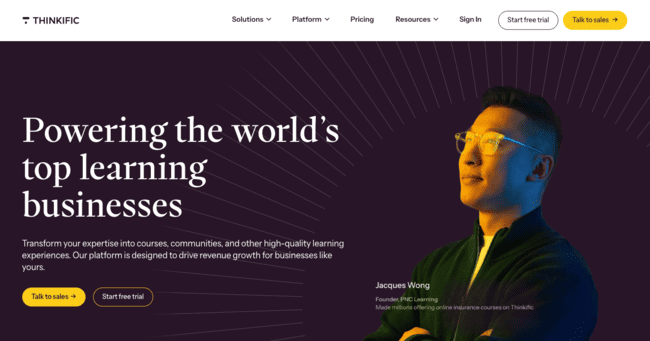
Thinkific is a course-building platform aimed at small businesses. It strips things down to the essentials of creating and selling courses. But still gives you decent control over branding, content, and pricing.
Setting up Thinkific has a minimal learning curve. It guides you through the course-building process in clear steps. And its drag-and-drop builder is quick and easy to learn. You can pick from pre-made templates for different types of courses. These are customizable. Though for advanced control over branding and style, you’ll need HTML/CSS. Higher tiers come with white labelling.

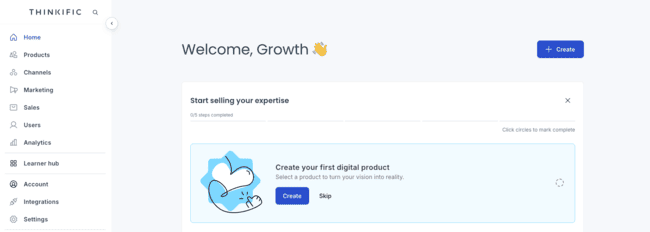
For learning content, you can upload videos and PDFs. And create assignments and assessment quizzes. It’s just as easy to build a website to host your course on. It takes just a few hours to publish a live course and site.
Thinkific makes monetizing your courses easy. You can sell one-off courses, bundles, memberships, and digital downloads. There are features for managing cohorts of learners. Such as drip schedules to control the learning pace across a group. And community forum spaces to encourage engagement.
Overall, Thinkific is ideal for small businesses looking to sell simple branded courses. But it doesn’t have the depth or flexibility to run regulated learning. Or corporate training programs.
Thinkific Features
Thinkific is one of the most popular LMS platforms for selling online courses. It focuses on simplicity, speed, and reliable course delivery.
- Drag-and-drop course builder with pre-made templates for fast setup.
- Support for video lessons, PDFs, presentations, and downloadable resources.
- Built-in quizzes, assignments, and course completion certificates.
- Drip scheduling and cohort-based course delivery.
- Community spaces for learner discussions and engagement.
- Tools for selling courses, memberships, bundles, and digital downloads.
- Custom domains and white-label on higher plans.
- Integrations with payment gateways, email tools, and popular business software.
Thinkific Pros
- Simple course builder with user-friendly UX
- Unlimited courses on all paid plans
- Easy, flexible tools for selling courses and memberships
- No transaction fees
Thinkific Cons
- Can’t customize the look and feel of your courses on the Basic plan
- Assessments and certificates are available on the Starter plan and higher.
Thinkific pricing starts at $36 month. This includes unlimited courses, one community, drip scheduling, and one custom domain. You can test the whole platform with a 30-day free trial.
Try Thinkific for free or read our full review
Teachable – Best for First-Time Course Sellers

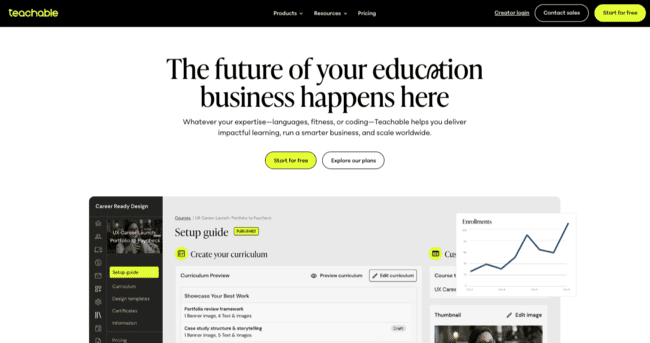
Teachable makes creating and selling courses simple. It’s affordable and does what it needs to do. I’d recommend it to any creator or coach looking to get started with online learning.
With course creation, the priority is quick, easy publication over advanced design. Course structure and branding options are fairly basic. But on the plus side, you can build a course in a matter of minutes. AI tools to help with content creation.
Building a site to host your courses is just as easy. You can even set up learner gateways on iOS and Android apps. Teachable integrates checkout and payment for product pages automatically.

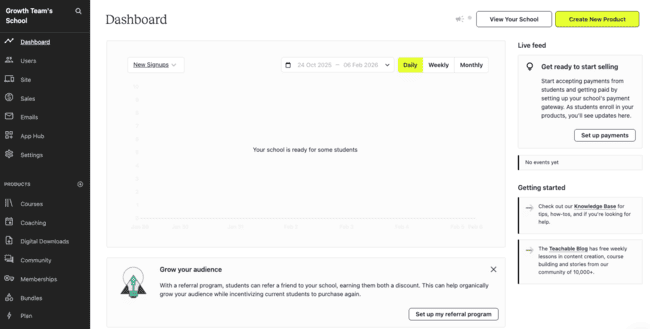
You can sell individual courses, academy memberships, digital downloads, and coaching sessions. Or product bundles that mix and match all. For marketing, Teachable uses email for sending upsell offers and automated abandoned cart emails.
Teachable’s biggest limitation is that it caps published courses on all plans. So it’s great for getting started. Or if you don’t plan on having many products ‘live’ at any one time. But not so much if you want to grow an education or coaching business at scale.
Teachable Features
Teachable is designed for creators who want to get a course live quickly, with minimal setup and a low learning curve.
- Beginner-friendly course builder focused on fast publishing.
- AI tools to help generate course outlines and learning content.
- Support for courses, coaching programs, digital downloads, and bundles.
- Automatically generated sales pages and checkout flows.
- Integrated payment processing and tax handling.
- Built-in email tools for upsells and abandoned cart recovery.
- Native iOS and Android learner apps.
- Simple analytics for tracking sales and enrollments.
Teachable Pros
- Very fast setup and onboarding
- Low entry price
- AI content tools
- Supports coaching products as well as courses
Teachable Cons
- We would love to see unlimited courses. Instead, they are set to 1, 5, 25, and 100 courses on paid plans.
- There is a 7,5% transaction fee on the cheapest plan
Teachable plans start at $29 per month for one course, but it has a 7.5% transaction fee on every sale. The Builder plan is much better value at $69 a month with no transaction fees and 5 courses. There’s an exclusive 30-day free trial for EmailVendorSelection readers.
Try Teachable for free or read our full review
LearnWorlds – Best for Engaging Course Design

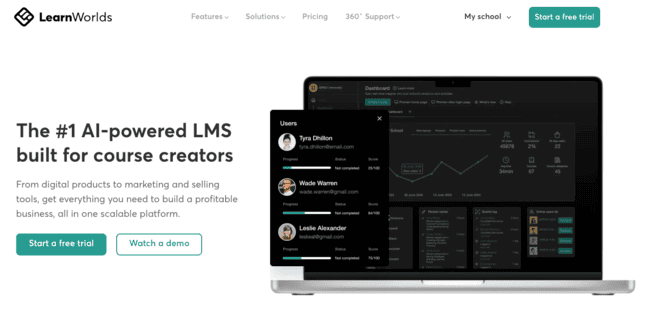
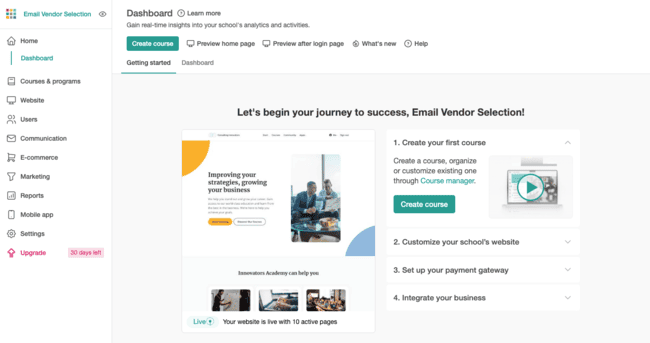
LearnWorlds is a top LMS and online course builder. It has everything you need to start creating, hosting, and selling courses. From short one-off courses to sophisticated commercial and academic programs. In all cases, I think the slick design and UX are a big plus.
LearnWorld has an impressive choice of learning and assessment features. Best of all, it has an AI assistant for piecing everything together. You set descriptions for courses, modules, or chapters. And the types of content and activities you want to include. The AI will then do everything from suggesting course structure and assessment to create course materials.

LearnWorlds is great for bringing learning to life with interactive content. It automatically adds quizzes to videos and documents. And you can add surveys to gather learner feedback. Access choices include on-demand downloads, drip release, and live sessions. LearnWorlds supports Zoom, Google Meet, WebEx, Calendly, and MS Teams for video calls and webinars.
LearnWorlds is SCORM-compliant for syncing with other learning resources. There is white labelling available for creating branded course websites and mobile apps. You can sell subscriptions, memberships, and one-off courses.
LearnWorlds Features
LearnWorlds makes the list of best LMS platforms for a reason. It stands out for its focus on learner engagement, interactivity, and polished course design.
- AI-powered course builder that helps structure courses, generate content, and design assessments faster.
- Interactive video with in-video quizzes, pop-ups, navigation, links, and calls to action.
- Interactive eBooks that let learners highlight text, add notes, and engage directly with course material.
- Built-in assessments including quizzes, exams, assignments, and surveys.
- Native community and social learning tools to encourage discussion and peer interaction.
- Drip schedules, live sessions, and downloadable content for flexible course delivery.
- White-label course websites with branding controls.
- Native mobile apps for iOS and Android, helping you reach learners in app stores.
- Built-in sales pages, funnels, and checkout for selling courses, memberships, and subscriptions.
LearnWorlds Pros
- Excellent AI tools for guided course building
- Lots of tools for course structure, content, access, and assessment
- Interactive videos and ebooks
- White-label branding for course websites and apps
LearnWorlds Cons
- The best engagement tools are in the higher tiers
- The cheapest plan has a $5 transaction fee
LearnWorlds’ Starter plan costs $24 per month, billed annually. This lets you build as many paid courses as you like. But it only includes basic quiz assessments and no live sessions. Your course website can only have three pages. And there’s a $5 transaction fee for every learner enrollment. LearnWorlds has a 30-day free trial.
LearnWorlds has generously offered EVS readers a coupon code. Use code “JVR30” at checkout for 30% off for the first month on monthly Pro Trainer plans or above.
Kajabi – Best All-In-One Platform for Monetizing Knowledge

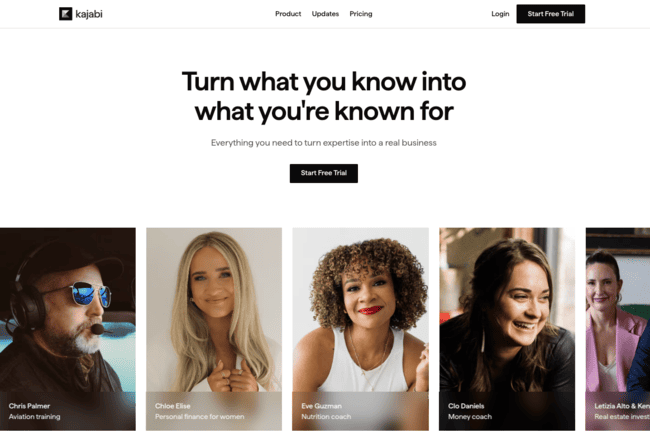
Kajabi is an all-in-one platform for making, marketing, and selling education products. That covers online courses, coaching programs, podcasts, and newsletter subscriptions. It includes everything you need for building course websites and product landing pages. Plus branded mobile apps, email campaigns, sales funnels, and other CRM tools.
Kajabi’s wide scope and pricing make it best suited to larger education businesses. Or those where courses form part of a broader content business. Its product builders are slick and professional. It offers a choice of themes that help create a general look and feel. Plus a limited number of more complete templates. There’s also a template marketplace where you can buy from other users. All are fully customizable with advanced editing tools.
One of Kajabi’s biggest strengths is its built-in marketing tools. You don’t need a separate marketing stack. You can build an audience with forms and social integrations. Track interactions and behaviour. Target communications based on that data. And automate the whole sales and marketing journey. That’s very appealing if you like the idea of working on a single platform.
Kajabi Features
Kajabi is an all-in-one platform designed to help creators build, market, and sell knowledge products.
- Course builder for online courses, coaching programs, and memberships.
- Hosted websites with customizable themes and page templates.
- Advanced email marketing with automations, broadcasts, and tagging.
- Built-in sales funnels and pipelines for launches and evergreen offers.
- Community features for discussions and member engagement.
- Integrated checkout and payment processing with no transaction fees.
- Support for podcasts, newsletters, and digital downloads.
- Branded mobile apps for iOS and Android on higher plans.
- CRM-like contact management and analytics for tracking customer behavior.
Kajabi Pros
- All-in-one sales and marketing platform for education products
- Includes courses, coaching, podcasts, and newsletters
- Flexible design and branding tools
- No transaction fees
Kajabi Cons
- Cost per product ratio is very high
- Has a high learning curve compared to other course builders
Paid plans start at $143 per month, billed annually. This Basic plans includes 5 products, 1 website, and 2500 contacts. But there’s no limit on emails, landing pages, and funnels. There’s a 14-day free trial.
FreshLearn – Best for Budget-Conscious Educators

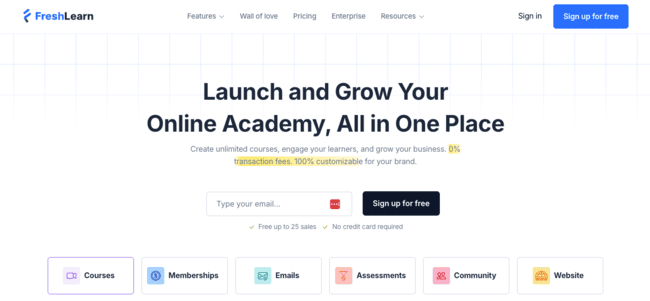
FreshLearn is a course builder that scores great on usability and value. It covers the full range of tools you need. And it’s particularly strong in monetization and marketing. But it’s also as user-friendly as any other creator-focused LMS.
FreshLearn’s value comes from a combination of low cost and bringing a lot of features into one platform. This reduces the need for multiple subscriptions. It covers course building, web hosting, and email marketing. All paid plans include unlimited courses and charge no sales commission. Plus, there’s a free tier you can use to build and sell your first course.
FreshLearn has excellent support across the platform. Like walk-throughs for creating courses and sales pages. It sets up checkouts and member portals automatically when you build a course. You can also sell live ‘masterclasses’ and digital downloads. Flexible payment and earning features include subscriptions and course/product bundles. Or you can sell memberships to VIP learner forums.
FreshLearn goes the extra mile with its email marketing tools. It has a great drag-and-drop builder. On higher plans, you can create simple triggered automations. Other cool features include gamified progress tracking for learners. This lets them earn points for various learning milestones. And redeem them for discounts on future purchases. You can also give customers referral codes to recommend your courses to other people.
FreshLearn Features
FreshLearn punches above its weight by offering a lot of functionality at a very affordable price, making it ideal for budget-conscious educators and creators.
- Course builder for on-demand courses, live workshops, and masterclasses.
- Built-in sales pages with integrated checkout and payment processing.
- Support for subscriptions, memberships, bundles, and digital downloads.
- Unlimited courses and enrollments on paid plans.
- Native email marketing with a drag-and-drop email builder.
- Simple automation for emails and learner actions on higher plans.
- Gamified learning with points, progress tracking, and rewards.
- Referral and loyalty programs to encourage repeat purchases.
FreshLearn Pros
- Low cost and user-friendly
- Everything you need to build, run, and market an online learning business
- Unlimited courses on all paid plans
- Built-in loyalty and referral rewards
- No transaction fees on paid plans
FreshLearn Cons
- Most integrations go through Zapier
- Automation is only available in the No Brainer+ plan
FreshLearn plans start at $35 per month, billed every 2 years. This includes unlimited courses, unlimited enrollments, and 3,000 emails. The free plan lets you build 1 product and enroll 25 students.
Get started with FreshLearn for free or read our full review
TalentLMS – Best for In-House Training

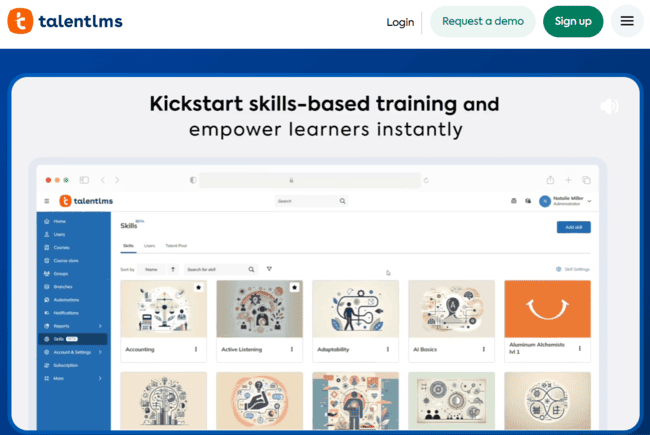
TalentLMS is a big name in corporate learning management software. It specializes in employee training. Particularly new starter onboarding, compliance, and cybersecurity. Customers include enterprise big-hitters like Google, Oracle, Meta, and Amazon. But it’s also popular with smaller businesses. They appreciate TalentLMS’s user-friendly UI and rapid course launch times.
AI is central to TalentLMS’s speed and simplicity. It uses AI intelligently at every stage. This starts with assessing skill requirements. And structuring training programs around tackling skills gaps and supporting individual development. From there, TalentLMS uses AI tools to create learning materials and assessments. This includes turning existing documentation into snappy, accessible course content. Everything from flashcards to graphics.
It has two excellent user-facing AI tools, too. One that translates course materials into any language. And another that serves as a learning assistant. Answering questions and providing summaries and prompts on demand.
TalentLMS doesn’t have tools for marketing and selling courses. But there is a large list of integrations, including ecommerce platforms Shopify and WooCommerce. And payment gateways like PayPal and Stripe. So you can use it to monetize online training, too. Similarly, TalentLMS course page designs are basic. But you can connect to a WordPress site to build your own pages.
TalentLMS Pros
- Skills-based course building for internal training
- Excellent AI tools for fast, simple course development
- Translates learning materials into any language
- 40+ third-party integrations
TalentLMS Cons
- Can’t sell courses without connecting to a third-party platform
- Limited learner engagement tools, including no community features
Paid plans start at $119 per month, billed annually. This includes 40 users/learners, unlimited courses, and AI tools promos. A free plan includes 5 users and lets you build 10 courses.
360Learning – Best for Collaborative Team Learning

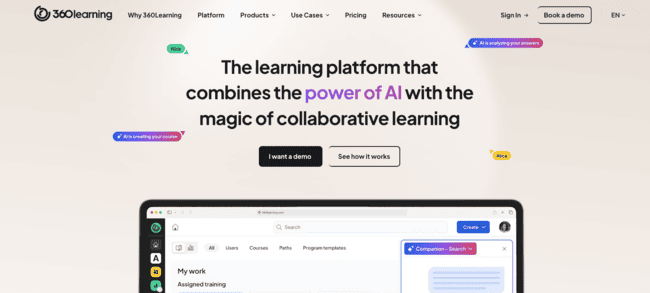
360Learning positions itself as a collaborative learning platform for internal teams. That covers a couple of things:
- It supports teams of subject matter experts in contributing to training programs. Not just in building courses, but delivering learning in real time.
- It’s big on interactive learning and learner participation. So there’s a strong emphasis on learners collaborating in their own training.
360Learning lets L&D teams build branded academies. These serve as platforms for hosting courses, webinars, and training materials. Beyond that, they are where learning communities come together to collaborate. Academy tools include forums for expert-to-expert, expert-to-learner, and learner-to-learner discussions. Experts can collaborate on materials, course design, and assessments here. But learners can also use these tools to ‘crowdsource’ information. Both from experts and each other.
360Learning’s other big strength is AI. AI tools help to create personalized learning paths for individual learners. They feature in assessing skills needs. Identifying suitable learning resources from across a business. And tracking learner progress. Learners get AI assistants to help with scheduling, assignment choice, and queries.
360Learning Pros
- Combines the functions of a skills-based LMS with LXP-like personalization
- Allows teams of experts to collaborate on course development and delivery
- Skills-based learning for internal teams
- Excellent use of AI, including for real-time adaptation of learning
360 Learning Cons
- Not suitable for selling courses
- Per-user pricing can get expensive quickly. It shifts to custom pricing for higher numbers of users.
360Learning charges a flat fee of $8 per user, up to 100 users. This covers both experts/course creators and learners. Above 100 users, pricing is by application. There’s a 30-day free trial.
Sana – Best for AI-Driven Corporate Learning

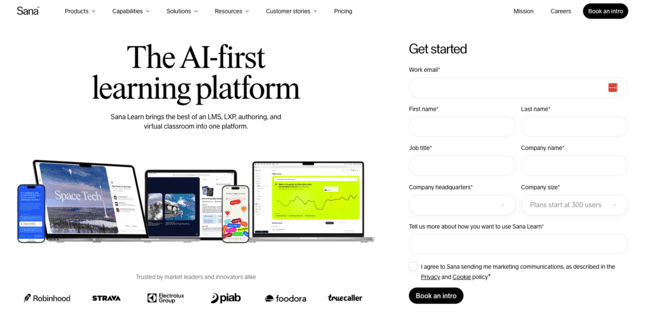
Most learning platforms use AI in one form or another these days. Sana has a good claim to be furthest down the AI path. It uses AI for:
- Creating courses and learning content.
- Automating learning management.
- Providing learners with a personal ‘AI tutor’ to guide them.
One of the biggest benefits users report is how much Sana slashes course creation times. Often down to a matter of hours. Sana’s AI tools pull in potential learning resources from across an organization. And then help flip them quickly into attractive content. Complete with quizzes and other forms of assessment. There’s also a feature to build animated instructional videos from text prompts. And AI tools will translate content into multiple languages.
Sana tracks learner progress in real time. You can use this to automate the release of course content. And learners can always view their own performance via their AI assistant. Sana’s AI learns individual preferences and learning styles over time. It then shapes course delivery accordingly, giving personalized recommendations and prompts.
Sana Pros
- Best use of AI for content creation, personalization, and workflow management
- Cuts course creation and management time
- Real-time insights into learner progress
- Suitable for very large cohorts
Sana Cons
- Minimum 300 users makes it unsuitable for small businesses
- Limited features for customizing course pages
Sana charges a flat fee of $13 per user license, with a minimum of 300 users. There’s no free plan, but you can book a free demo.
Podia – Best for Simple Digital Products


Podia isn’t strictly a learning platform. Its purpose is to help creators and entrepreneurs sell digital products. Including online courses, webinars, and coaching.
Podia’s USP is simplicity. It’s designed to make building online stores and websites easy. That carries over into creating courses and other products. It’s all about drag-and-drop no-code editors. Customizable section templates. And a clean, user-friendly interface.
Podia isn’t a platform for creating in-depth courses and learning programs. It’s mainly about speed and convenience. Assessments don’t stretch much beyond simple quizzes. And reporting focuses on sales performance, rather than learner progress.
But it works well for anyone looking to monetize knowledge in a simple way. It has a good choice of learning materials, pathways, learner communities, live one-to-one, and group sessions. Every product comes with a sales page with payment integration. And Podia also has email marketing tools for promoting your products.
Podia Pros
- Very user-friendly
- All-in-one course creation, sales pages, and email marketing
- Unlimited courses, webinars, coaching sessions, and other products
Podia Cons
- Additional charges for email marketing, plus transaction fees on the cheapest plan
- Only has simple quizzes for assessment
Paid plans start at $33 per month, billed annually. This includes unlimited courses and products. But there is a 5% transaction fee on this cheapest tier. And email marketing costs extra if you have more than 100 subscribers. There’s no transaction fee on higher tiers. But the extra charge for email applies on both plans. There’s a 30-day free trial.
Moodle – Best for Open-Source Flexibility

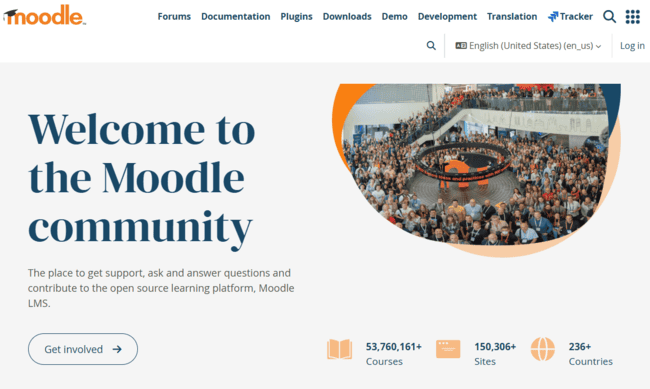
Moodle is the WordPress of LMS software. Open-source and free to use, Moodle is an alternative to off-the-shelf LMS options. It’s popular with schools, colleges, universities, and training providers around the world. Its biggest draw is complete freedom for shaping your own learning environment. But like WordPress, the trade-off is technical complexity.
Moodle works best for large education establishments with large e-learning requirements.
Course and learning pathway features are fully customizable. The same applies to content and learner number. You can make courses as big as you need. Offer as many courses as you like. And have as many learners as you like. Moodle is fully SCORM compliant. So you can import courses and learning materials from any other LMS. And export them to other platforms, too. It’s excellent for assessments, grading, and tracking progress. You can build fully integrated academies and learner communities. And custom-brand everything you build.
Although Moodle is technically free, there are usually costs involved. You need to pay for hosting for your online learning environment. You can pay for a site via MoodleCloud. Or choose your own provider. Many users employ certified Moodle specialists to build and manage their platforms. Moodle doesn’t directly support monetizing courses and learning products. But again, like WordPress, almost anything is possible via an enormous plug-in ecosystem. This includes integrations with ecommerce platforms.
Moodle Pros
- Widely trusted in education
- Very customizable
- Huge plugin ecosystem
- No direct licensing costs
Moodle Cons
- Steep learning curve, often with a need for technical support
- Native interface looks dated without adding more modern plug-ins
Moodle is free to use and has no subscription plans.
LifterLMS – Best for WordPress-Based Courses

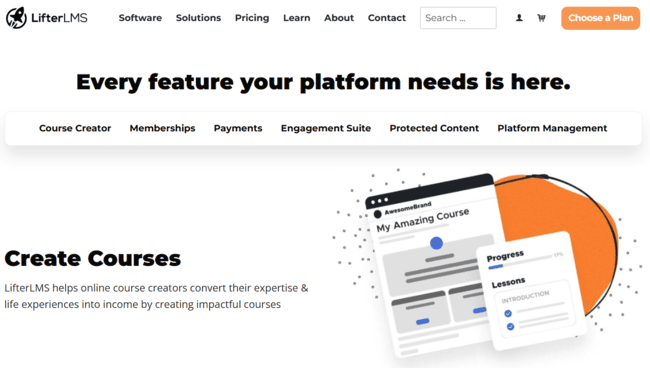
LifterLMS is an LMS plug-in for WordPress. It gives you everything you need to build, sell, and manage courses via a WordPress site. Compared to off-the-shelf course builders, Lifter’s biggest USP is design flexibility. That’s always a given when you’re working with WordPress. But it takes some technical know-how.
One thing that really stands out with Lifter is choice of features. This applies across course creation, monetization, and student engagement. You can build everything from short one-off courses to fully certified extended programs. Lifter includes a drag-and-drop course builder and supports multimedia content. Instructional design tools help you shape course structure so learning progress makes sense. And you get full control over progression rules. You can make lessons or assignments prerequisites for final completion. And set rules for when and how new content gets released. And you can sell memberships to your site. With special perks in prices and course access.
All courses get their own sales pages. As a WordPress platform, you get complete freedom over branding these pages. The same applies to course pages, student dashboards, and member portals. You can customize these fully using WordPress themes and page builders. WordPress also gives you access to an enormous ecosystem of plugins. This lets you extend what you can do with Lifter’s own tools. Again, the catch is you have to know how to use these tools. And you are responsible for all the technical side of managing your site.
LifterLMS Pros
- Lots of course-building features
- Complete design and branding freedom
- Access to WordPress’s huge plug-in ecosystem
LifterLMS Cons
- LifterLMS isn’t an out-of-the-box tool for beginners. You need to know what you’re doing with WordPress.
The LifterLMS plug-in for WordPress is free to use. This lets you build courses in WordPress. But it doesn’t include site hosting or ecommerce tools. Paid plans with these features start at $149.50 per year.
Skilljar – Best for Customer Product Training

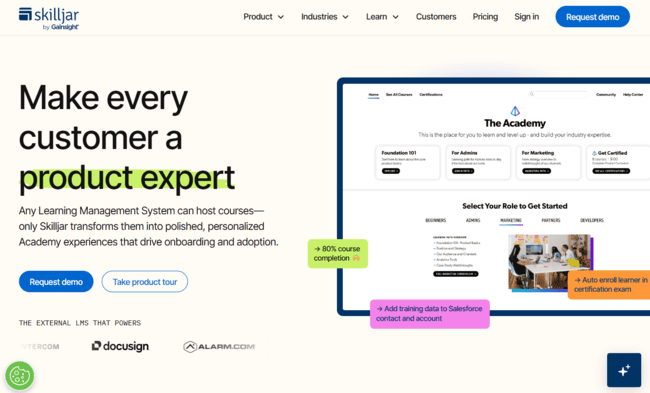
External LMS systems are not just popular with third-party training providers. They’re also used by companies to provide product training to customers and partners. This is common with B2B tech businesses. Anything where product onboarding is an important part of the service.
Skilljar specializes in this type of training. It helps vendors build customer-facing training academies. Develop the training programs themselves. Manage access for customers. And handle any necessary accreditation.
Learning content types include on-demand video tutorials, documents, and assignments. Skilljar integrates with Zoom and WebEx to deliver live webinar sessions. And it connects with LinkedIn for issuing online certificates to reward learners’ achievements.
Skilljar helps monetize product training. You can connect to a Salesforce account and include training seats as part of a sales contract. You can sell courses and course bundles, too. Skilljar supports payment via Stripe, PayPal, and Salesforce.
A big strength is Skilljar’s analytics. It monitors learner progress and course performance metrics natively. With integrations to Salesforce and Gainsight, you can turn these into financial KPIs. And track how course enrollments and sales impact your bottom line.
Skilljar Pros
- Dedicated platform for customer training and product onboarding
- Single access point for all courses and learning materials
- Supports monetization
- Strong analytics and reporting. This includes integrations with Salesforce and Gainsight for financial performance tracking.
Skilljar Cons
- Expensive for smaller businesses
- Academy branding could be more customizable
Skilljar doesn’t publish details of its pricing. It does outline three pricing tiers. Starting with an Essentials plan that includes one academy site with unlimited courses. But you have to apply for a quote based on your expected number of users. Reported prices typically start at around $5,000 a year.
Open LMS – Best for Hosted Moodle Deployments

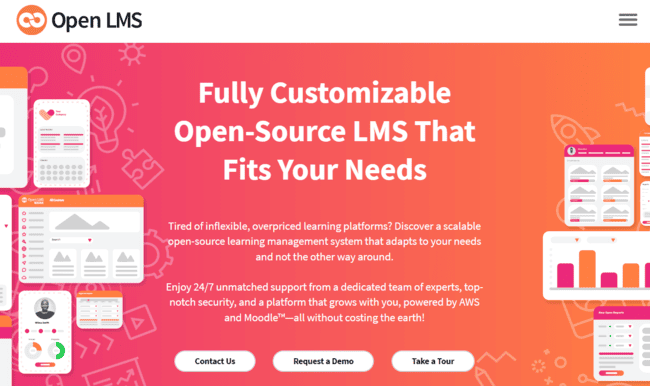
I talked about Moodle, the open-source LMS. Moodle’s open-source nature means businesses can use it to build an LMS of their own. Open LMS is the biggest and best-known example. It boasts 10M active learners across 120 countries worldwide.
Open LMS acts as a middleman between Moodle and education providers. You get all the benefits of the Moodle ecosystem. The big choice of courses, learning pathways, assessments, and community tools. Moodle’s huge integration library. But Open LMS takes care of all the technical management. It provides site hosting, updates, security, and maintenance. Plus ongoing support. It also includes a clean, modern, user-friendly interface for your learning environment. And a learner-facing mobile app.
Open LMS has two products. A corporate LMS aimed at internal training. And a platform for higher education institutions. The two share very similar feature sets, the main difference being branding. Both include Open LMS’s Personalized Learning Designer (PLD). This uses learner data to customize and automate content delivery, assessments, and feedback.
Open LMS also comes with an impressive choice of AI tools. They include a content generator for TinyMCE, Moodle’s text editor. A separate tool for teachers creates everything from lesson plans to assessment schemes. And plagiarism detection software and grading tools.
Open LMS Pros
- Full Moodle functionality with site hosting
- Managed security, updates, and support
- Advanced reporting and data-led learner personalization
- Good choice of AI tools
Open LMS Cons
- Doesn’t publish pricing
- Ecommerce tools for monetizing courses are a paid-for add-on
Open LMS operates a custom pricing policy based on the number of active learners you have. There’s no free plan or trial, but you can access a product demo on request.
Academy of Mine – Best for Professional Training Providers

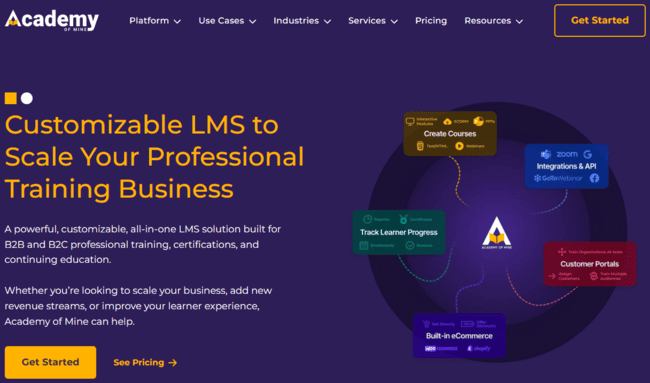
Academy of Mine is an LMS aimed at professional training businesses. It provides white label branding for courses and academy platforms. And ecommerce tools for selling courses online. It specializes in accredited training in areas like compliance and licensing.
This specialist focus shines through in course building and learner tracking. Academy of Mine prioritizes formal learning pathways over creative content. It helps you build courses in line with strict accreditation criteria. And provides tools to link completion to external certification. Delivery options include on-demand course downloads and live training sessions. You can plan and schedule in-person training and host online webinars.
An Academy of Mine account includes a single platform for hosting all your courses. You can create different portals for different customers or categories. Branding features include uploading logos and custom styling. To sell courses, you can build a simple ecommerce store in the platform. This includes sales pages for every course, integrated checkout, course catalogue and about me page. But the design features are basic. Alternatively, you can connect to Shopify or WooCommerce. Or pay extra and get AoM staffers to build a customer-facing website for you.
Academy of Mine Pros
- Ideal for structured, automated compliance training
- Mix of on demand, in-person and virtual training delivery
- Tools to link to external certification and accreditation
- Native ecommerce tools and integrations with Shopify and WooCommerce
Academy of Mine Cons
- Expensive for smaller training firms
- It’s short on learner engagement features
Academy of Mine pricing starts at $999 per month. You can test it out on a free trial for 30 days.
Litmos – Best for Enterprise Compliance and Onboarding

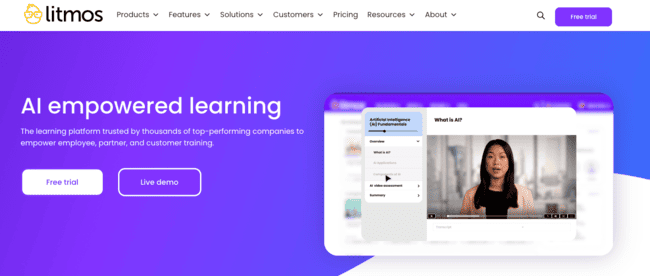
Litmos is a corporate LMS aimed at larger organizations. Its main focus is internal training for enterprises. Especially compliance, onboarding and role-based development. But it also supports external customer and sales training. So it’s suitable for large B2B vendors that sell product training packages.
Litmos’s biggest strength is scale. It supports very large cohorts with advanced learner management tools. You can tailor courses and learning materials to different cohorts and markets. Including setting multiple languages. And running different branding across different training courses.
Litmos uses AI across many features and functions. For course building, you can generate detailed program structures from simple text prompts. Then generate multimedia course materials. Translate them into different languages. And create relevant, graded assessments. A really cool tool is Litmos’s interactive video assessments. Learners engage with the videos in real time. AI scores the responses, removing bias. You can automate assignment reminders, grading and certification to save time.
AI also plays a big role in learner engagement. Trainees get their own AI assistant that provides real-time, chat-based support. Over time, it understands individual learning styles to recommend training materials. Admins can interact with the AI to create curated ‘playlists’ for each learner. These align easily with personal development or skills-based competency pathways.
Another big strength is Litmos’s reporting tools. Admins get in-depth but easy-to-read dashboards with customizable KPIs. Litmos supports an impressive list of HR and other enterprise software integrations. So it’s easy to make training data available wherever it’s needed in the organization.
Litmos Pros
- Built for large-scale training operations
- AI tools for course creation, customization, assessment and learner engagement
- Advanced reporting supports clear oversight of training and development across an organization
- 40+ HR and enterprise platform integrations
Litmos Cons
- Doesn’t give you the greatest level of design flexibility despite white labelling
- Doesn’t publish prices
Litmos provides pricing by application only. It does advertise two tiers. A Foundation plan with a 250 learner limit. And a Platinum plan with unlimited learners and all AI tools available. There’s no free tier, but there is a 14-day free trial.
4 Free LMS Platforms
FreshLearn

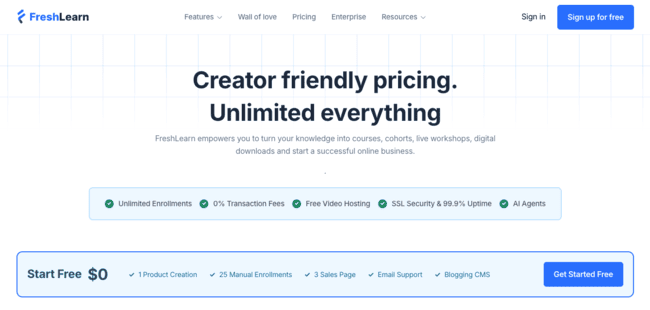
FreshLearn’s free plan is like a free trial without a time limit. It makes course building and selling affordable and accessible. You get course creation, hosting, marketing and sales in one user-friendly platform. On the free plan, you can create a single course or other learning product with 25 students. You can build three sales pages to promote it.
That means FreshLearn’s free plan is a great way to start – but you may grow out of it. If you’re new to making and selling courses, it’s a great starter. The free version doesn’t end after 30 days. You get as long as you want to play and find your feet.
Create your course with FreshLearn for free
Sakai
Sakai is a 100% free, open-source LMS. Popular with universities and educational institutions, its biggest strength is its user community. Users build their own Sakai-specific tools and plug-ins. And then release them to the rest of the community, all for free. As a result, Sakai has tons of course creation and delivery resources. It also supports learner and faculty networking and communication.
As with most open-source platforms, Sakai works best if you have some technical skills. You need third-party hosting for your e-learning resources. And it doesn’t include any native sales or marketing tools.
ILIAS
ILIAS is one of the oldest learning management systems still going. It’s an open-source platform which is completely free to use. It supports course creation and management, testing and assessment. And features like digital portfolios, wikis and learner surveys.
All courses and content published in ILIAS are SCORM compliant. So it offers easy compatibility with other LMS’s. Like similar platforms, ILIAS doesn’t include hosting for courses and content. So there are costs incurred outside the platform. And setup and management require technical skills.
Best LMS per Industries and Use Cases
One of the things that makes choosing an LMS hard is not just how many there are. It’s how many different types there are. And all the niches and specialisms for different types of educators. I’ve gone into detail about my favourite LMSs and who they are for. And picked out 4 great free platforms, too. Here’s a run-through of some of the best LMS by business type, industry, and use case.
Best LMS to Create and Sell Your Own Courses
An LMS for course creators has to do more than deliver lessons. The best online course platforms help you build professional learning content quickly. Support flexible pricing and product formats. And make it easy to market and sell courses.
- Thinkific is easy to set up, supports memberships and bundles, and gives you control over course delivery and learner pacing. You also get tools to publish, promote, and sell courses.
- Teachable is ideal for first-time course sellers who want speed and simplicity. It’s quick to publish courses, includes built-in checkout, and supports coaching and digital downloads.
- LearnWorlds is the best choice if you care most about engagement and course design. It brings interactive video and ebooks into your learning experience, with strong assessment tools and options for branded websites and apps.
- FreshLearn is the strongest budget-friendly platform for selling courses. It includes course creation, sales pages, checkout, and built-in email marketing, with extra monetization tools like referrals and loyalty rewards.
Best LMS for Small Business Internal Training
Small businesses need to train their people, too. You also get small, niche training providers. And SMB tech firms that need to provide product onboarding. In short, small businesses benefit from training-focused LMSs, too. But they also need speed, simplicity and affordable pricing. These examples fit that criteria.
- LearnWorlds is a good choice for small businesses that want engaging internal training. Interactive video, assessments, and adjustable delivery work well for onboarding and upskilling.
- FreshLearn is affordable and makes it easy to run internal training programs. Good for teams that need course delivery, tracking, and built-in communication tools.
- 360Learning offers peer-led learning for growing teams. Ideal when internal experts create and share knowledge.
- TalentLMS is good for speedy setup and AI-assisted course creation. A popular choice with SMBs and large enterprises.
- iSpring Learn is great for simple, structured training with strong reporting. Works well for onboarding and compliance without heavy setup.
Best LMS for Corporate Training
Corporate training platforms serve large cohorts. Their most important attributes are supporting consistent, structured programs. Reliable compliance with external accreditation where needed. And accurate performance tracking and reporting across cohorts.
- TalentLMS specializes in skills-based internal training. Works well for onboarding and compliance programs and provides useful automation tools.
- Moodle Workplace is a Moodle product tailored for corporate use. Good for complex organization structures and internal reporting. As well as open-source flexibility.
- Docebo provides advanced AI-driven learning and integrations. Best suited to larger enterprises.
- 360Learning encourages expert-led and social learning across teams.
Best LMS for Schools and Higher Education
Schools, colleges and universities need more advanced course creation tools. They have to follow assessment, grading, and content standards. And usually need to run very large numbers of courses and programs.
- Canvas is widely used in universities. Strong tools for grading, collaboration, and accessibility.
- Open LMS has managed Moodle hosting with enterprise-grade support for institutions.
- Moodle is hugely popular across academia. Provides open-ended scalability and flexibility for course development and learner numbers. Best for larger institutions with technical resources.
Best LMS for Nonprofits
Nonprofits need to balance limited budgets with diverse learning needs. The best learning platforms here support education, fundraising, and community engagement without heavy costs.
- Thinkific ticks boxes for easy course creation, integrated selling tools, and affordable pricing. Useful for public education and donor training.
- Teachable is an easy-to-use LMS for nonprofits creating public education and training programs. Quick setup makes it practical for teams with limited technical resources.
- FreshLearn is a budget-friendly LMS with built-in tools for courses, donations-style sales, and community engagement. With unlimited courses on all plan, it’s a good fit for nonprofits working with tight budgets.
- Open LMS is a reliable platform for structured programs and grant-funded training.
- 360Learning’s collaborative learning approach is ideal for knowledge sharing across teams.
Best Open-Source LMS
Open-source LMS platforms offer maximum control and customization. But they do come with a learning curve. They suit organizations with technical resources. And a need for fully customized learning environments.
- Moodle is the most widely used open-source LMS. Has a huge plugin ecosystem and strong standards support.
- Open edX is built for large-scale courses and MOOCs. Used by major institutions.
- Canvas is built on an open-source core with commercial hosting. Strong academic focus.
Best LMS for WordPress
WordPress LMS plugins let you build your learning environment on a WordPress site. Ideal if you already run a WordPress site. Or if you want to create a commercial education business with full control over branding, content, and monetization.
- LifterLMS gives you all the tools you need to create, manage, and sell courses on WordPress.
- Teachery is a simple, creator-friendly plug-in. Best for straightforward courses. Read our full Teachery review to find out more about its features, pros, cons, and pricing.
- Masteriyo is a lightweight LMS plugin with a modern UI. Easy to get started.
- LearnDash is feature-rich and widely used. Supports advanced course logic.
- Tutor LMS is a popular and user-friendly WordPress course builder. Includes native ecommerce and payment tools.
Conclusion: What is the Best LMS for You?
I hope one message comes through loud and clear above all others from this guide. There’s no single best LMS. In such a crowded marketplace, it’s all about understanding your needs, the different types of LMS and what they offer. Then picking the right type. Before narrowing it down to your business size, budget, and specific use cases.
If you’re a creator or small business selling courses, budget will be a big differentiator. Thinkific, FreshLearn, and Kajabi give you everything you need to build and grow an online knowledge business. LearnWorlds stands out for learner experience and engagement. And it’s very easy to create and sell courses with Teachable. Kajabi and Learnworlds are pricier platforms.
For internal training and corporate learning, the choice is huge. Drilling down to who you’re training, what you’re training in, and size of cohorts really matters. TalentLMS is one of the most popular LMSs for internal training for businesses big and small. Skilljar has the edge in customer and partner training. Academy of Mine is ideal for commercial training providers. 360Learning takes a unique collaborative approach that suits expert-led teams. Litmos and Sana provide onboarding, compliance and role-based development.
For academia and education, open-source LMS platforms are popular. They provide the scale, flexibility and control to build very large course libraries. Extended but structured pathways. And fully customized learning environments. Moodle is the go-to platform for many educational institutions. But it requires technical expertise. And although Moodle itself is free, you need hosting on top. Managed Moodle platforms like Open LMS handle the technical side for you.